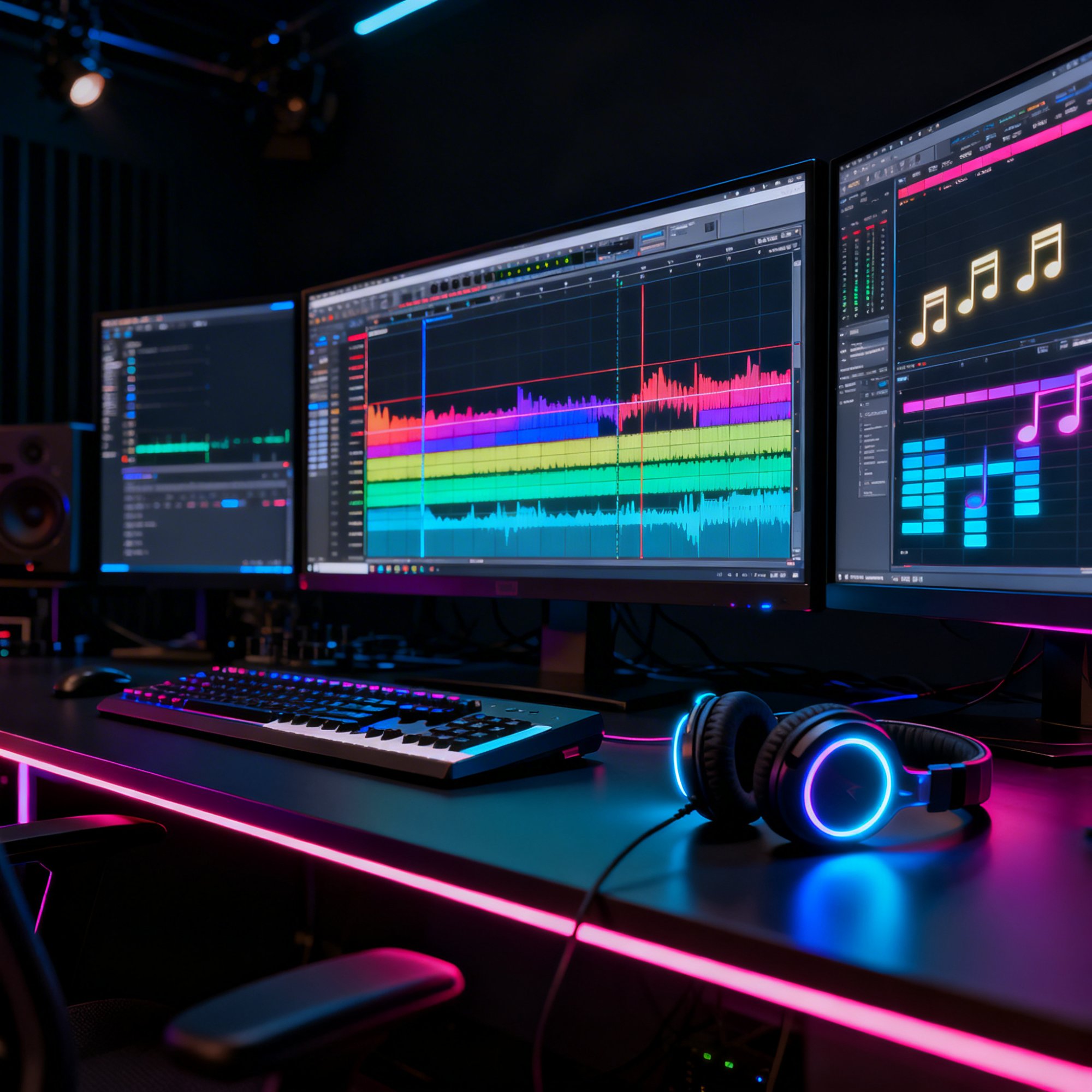
Stem separation has become one of the most transformative technologies in modern music production. The ability to take any mixed audio recording and extract individual elements, including vocals, drums, bass, and melodic instruments, opens creative possibilities that were simply impossible just a few years ago. Whether you are a producer looking to study professional mixes, a remix artist seeking clean vocal extractions, or a DJ building custom edits for live performance, understanding stem separation technology is essential for any modern creator.
This comprehensive guide covers everything from the science behind how AI separation works to practical techniques for getting the best results from your extractions. We explore creative applications across multiple use cases, workflow integration strategies, and the current state of the technology as it stands in 2026.
How AI Stem Separation Works
AI stem separation relies on deep neural networks trained on massive datasets of music. These models learn the spectral characteristics that distinguish different instrument types, enabling them to decompose a complex mixed signal into its component parts with remarkable accuracy.
The Training Process
Stem separation models are trained on datasets where both the mixed audio and the individual stems are available simultaneously. This data typically comes from multitrack recording sessions where each instrument was recorded on a separate track. The model learns the precise relationship between the mixed signal and each individual stem by analyzing thousands of examples across every genre.
During training, the model develops a sophisticated understanding of what each instrument type sounds like within the context of a full mix. It learns that vocals have specific formant structures that create the characteristic resonances of the human voice. It recognizes that kick drums have particular low-frequency transient profiles with rapid attacks and exponential decays. It understands that bass guitars and synth bass occupy certain spectral regions with distinctive harmonic patterns. And it identifies that melodic instruments like guitars, pianos, and synthesizers each have unique timbral signatures that distinguish them from one another and from other elements.
The most advanced models use architectures based on U-Net convolutional networks or transformer-based attention mechanisms. These architectures excel at processing spectrograms, which are the visual representations of audio showing frequency content distributed over time. The model essentially learns to create soft masks that, when applied to the mixed spectrogram, isolate each desired component while minimizing artifacts and bleed from other sources.
The Separation Process in Detail
When you submit a mixed audio file for separation, the system first converts the audio into a spectrogram representation using a Short-Time Fourier Transform. This mathematical operation breaks the continuous audio signal into a grid of time-frequency bins, each containing information about the energy present at a specific frequency during a specific moment in time.
The neural network analyzes this spectrogram and predicts a soft mask for each target stem. A mask is essentially a matrix of weights between zero and one that determines how much of each time-frequency bin belongs to each stem. Unlike hard masks that make binary yes-or-no decisions, soft masks allow for nuanced sharing of energy between stems, which produces more natural-sounding separations.
For a standard four-stem separation into vocals, drums, bass, and other instruments, the model generates four separate masks simultaneously. These masks are designed to sum to approximately one across all stems for each time-frequency bin, ensuring that all the energy in the original mix is accounted for. Each mask is applied to the original complex spectrogram, preserving the phase information that is critical for natural-sounding audio. The masked spectrograms are then converted back to audio using an inverse Short-Time Fourier Transform.
Understanding Limitations and Artifacts
No separation algorithm is perfect, and even the best models introduce some artifacts, particularly in areas where instruments overlap significantly in frequency content. A bass guitar and a kick drum, for example, share substantial low-frequency energy below 200 Hz, making perfectly clean separation between them a genuine challenge. Similarly, acoustic guitars and vocals occupy overlapping midrange frequencies that can cause bleed in both directions.
Common artifacts include slight spectral blurring, which manifests as a subtle loss of definition or a watery quality in the separated stems. Vocal separations may contain faint traces of instruments that share the vocal frequency range, particularly acoustic guitars, pianos, and strings. Drum separations may pick up transient artifacts from other percussive elements or from aggressive consonant sounds in the vocal track. The other instruments stem often contains the most artifacts because it must capture everything that does not fit cleanly into the other three categories.
Understanding these limitations helps you set realistic expectations and guides your decisions about post-processing and how to incorporate separated stems into your creative work.
Getting the Best Separation Results
The quality of your stem separation depends significantly on both the source material you provide and how you handle the separated output.
Source Material Quality Matters
Higher quality source files consistently produce better separations. A lossless WAV or FLAC file will separate more cleanly than a 128 kbps MP3 because it contains the full spectral information that the AI model needs to make accurate separation decisions. The additional detail in high-quality files gives the model more data points to distinguish between overlapping instruments, resulting in cleaner masks and fewer audible artifacts.
If you only have access to compressed files, the separation will still work, but expect more artifacts and less precise isolation. Some producers report improved results from AI-upsampling compressed files before separation, though this approach has limits since upsampling cannot truly restore information that was permanently discarded during compression.
Mix Characteristics That Produce Clean Separations
Songs with clear arrangements where instruments occupy distinct frequency ranges separate most cleanly. A recording with a prominent vocal sitting clearly in the midrange, a distinct drum kit with strong transients, a well-defined bass line in the low end, and melodic instruments that do not heavily overlap with each other will produce excellent separation results with minimal artifacts.
Dense, heavily layered productions present greater challenges. A wall-of-sound mix with dozens of overlapping layers, heavy reverb and delay effects, and instruments deliberately blended together through parallel processing will produce less clean separations. This is not a failure of the technology but rather a fundamental signal processing reality: when sources are intentionally merged, separating them becomes exponentially more difficult.
Post-Processing Your Separated Stems
Treat separated stems as raw material that benefits from thoughtful post-processing rather than as finished products ready for immediate use. Apply gentle EQ to remove any spectral artifacts or residual bleed from other instruments. Use a quality noise reduction plugin to clean up any background artifacts that the separation process introduced. Apply subtle compression to restore dynamic consistency if the separation has introduced level variations or pumping.
The ShiMuv DAW provides all the processing tools you need to clean up and refine separated stems to a professional standard. Import your stems directly into a new session, add your processing chain to each track, and refine until each stem sounds exactly as you need it for your project.
Creative Applications of Stem Separation
Stem separation unlocks a wide range of creative possibilities that extend far beyond the simple vocal removal that most people first think of.
Remixing and Reimagining
The most popular application is remixing. Extract the vocals from a song you admire and build an entirely new instrumental arrangement around them. This technique has been used by producers and remix artists for decades, but it previously required either access to the original multitrack recordings from the label or painstaking manual isolation techniques using phase cancellation and surgical EQ, which rarely produced clean results.
With modern AI separation, any commercially released song becomes potential remix source material. Extract the vocal with clean isolation, import it into the ShiMuv DAW, and produce a remix that completely reimagines the original song in your own style and genre. You can take a pop vocal and place it over a drum and bass instrumental, or extract a rap verse and build a lo-fi beat around it.
Precision Sampling
Sampling is a cornerstone of production in hip hop, electronic music, house, and many other genres. Stem separation allows you to extract specific elements from recordings with unprecedented precision. Isolate a funky drum break from a 1970s record without the horns and bass bleeding through. Extract a lush string arrangement without the vocal melody. Pull a distinctive bass line from a track without capturing the drums.
This level of extraction precision transforms the sampling workflow entirely. Instead of spending hours trying to EQ and filter out unwanted elements from a sample and compromising the quality of what you actually want, you can extract exactly what you need with minimal degradation.
Mix Analysis and Education
One of the most valuable educational applications of stem separation is studying professional mixes in forensic detail. Take a song whose mix you admire, run it through the Stem Splitter, and listen to each element in complete isolation. You can hear exactly how the vocal was compressed, what EQ shape was applied to the drums, how the bass interacts with the kick at specific frequencies, and how wide the stereo field is for different elements.
This reverse-engineering approach teaches you more about professional mixing techniques than any tutorial video or textbook chapter because you are hearing the actual processing decisions made by professional engineers on real commercial releases.
Practice Tracks and Karaoke
Musicians use stem separation to create custom practice tracks. A guitarist removes the guitar part and plays along with the drums, bass, and vocals. A singer removes the lead vocal to practice their own interpretation over the full instrumental. A drummer isolates the drum track to study the patterns in detail, then removes it to practice playing along with the other instruments.
DJ Tools and Live Performance
DJs have embraced stem separation for creating custom edits, mashups, and seamless transitions. Extracting clean acapellas from songs enables creative vocal layering and mashups during live sets. Isolating instrumental elements allows for smoother transitions between tracks that share compatible keys or rhythmic elements. Building custom DJ edits with separated stems gives performers unique material that sets their sets apart.
Advanced Stem Separation Techniques
Multi-Pass Processing
Run the same audio through separation multiple times with different models or settings if available. Compare the results carefully and use the cleanest version of each individual stem. Some models may extract vocals more cleanly while others produce better drum isolation. Cherry-picking the best results from multiple passes and combining them produces the best possible overall separation quality.
Stem Recombination
Create entirely new mixes by combining stems from different songs into a single cohesive production. Take the drum groove from one track, the bass line from another, and the vocal from a third. Use time-stretching and pitch-shifting tools in the ShiMuv DAW to align elements that do not naturally share the same tempo or key. This technique produces unique mashups and remixes that could not exist any other way.
Creating Visual Content from Stems
Clean vocal separations work exceptionally well with the Lipsync Creator because the AI can more accurately map mouth movements when the audio contains only vocal content without instrumental interference. Separate the vocals from your track, feed them into the lipsync tool with a portrait image, and produce an animated music video with cleaner, more accurate lip synchronization than you would get from the full mixed audio.
The ShiMuv Stem Separation Workflow
The Stem Splitter provides AI-powered separation directly in your browser with no software installation required. Upload any audio file and receive separated stems. Import results into the ShiMuv DAW for production. Create visual content with the Lipsync Creator and Edit Hub. Generate complementary melodies with the Melody Generator. Publish finished work on the Creator Feed.
Conclusion
Stem separation has evolved from a niche research curiosity into an essential, everyday tool for modern music production. The creative possibilities it unlocks touch every aspect of the production workflow, from sampling and remixing to education and live performance. Start exploring with the Stem Splitter and discover what becomes possible when you can access the individual elements within any recording. For more production guides and creator resources, browse the ShiMuv Blog.
Comparing Stem Separation Models
Different AI models approach stem separation with varying architectures and training strategies, which means their output quality varies across different types of music and different target stems.
Vocal-Optimized Models
Some separation models are specifically optimized for vocal extraction above all else. These models allocate more of their computational capacity to distinguishing vocal formants from instrumental timbres. If your primary goal is extracting a clean vocal for remixing or lipsync content, vocal-optimized models will typically produce the best results with the least bleed from other instruments.
The Stem Splitter on ShiMuv uses a model that balances quality across all four stems while maintaining particularly strong vocal separation. This balance makes it suitable for the widest range of creative applications without requiring you to run multiple specialized models.
Drum-Optimized Models
Models optimized for drum extraction focus on identifying transient characteristics and percussive energy patterns. They excel at separating kick drums, snares, hi-hats, and cymbals from melodic content. These models are particularly valuable for producers who want to extract groove patterns from existing recordings for sampling or study.
Full-Band Models
Full-band models attempt to provide equally clean separation across all stem types. They represent the most general-purpose approach and are the best choice when you need all four stems to be usable quality. The trade-off is that no individual stem may be quite as clean as what a specialized model could produce for that specific instrument type.
Stem Separation and Copyright Considerations
Using stem separation technology raises legitimate questions about copyright and fair use that creators should understand. The act of separating stems from a recording does not transfer ownership of the underlying musical content. If you separate the vocals from a copyrighted song, those vocals remain copyrighted material.
For personal use, education, and DJ performance, stem separation generally falls within accepted practice. However, releasing remixes or productions that incorporate separated stems from copyrighted recordings requires the same licensing and clearance that any other use of copyrighted material demands. Understanding these boundaries protects you legally and respects the rights of other creators.
When creating content for release, the safest approach is to use stem separation on your own recordings, on material that is explicitly licensed for remixing, or on recordings that are in the public domain. The creative techniques described in this guide apply equally well regardless of the copyright status of the source material.
Real-Time Stem Separation
One of the most exciting developments in 2026 is the emergence of real-time stem separation that processes audio with latency low enough for live performance applications. While cloud-based separation requires uploading a complete file and waiting for processing, real-time models run locally on your device and separate audio as it plays.
This capability is transforming live DJ performance. Instead of pre-separating tracks before a set, DJs can apply separation to any track in real time, creating on-the-fly acapellas, instrumentals, and isolated elements during their performance. The creative spontaneity this enables is remarkable.
Real-time separation also has applications in practice and rehearsal. Musicians can load any reference track and instantly mute or solo specific instruments without any preparation. This makes it possible to practice along with virtually any recorded music with a level of flexibility that was previously only available with dedicated backing tracks.
For production work, real-time separation enables a new monitoring workflow. While mixing your own track, you can simultaneously analyze how your mix compares to a reference track by separating the reference in real time and comparing individual elements side by side.
Future Directions
Stem separation technology continues to advance on multiple fronts. Higher separation quality with fewer artifacts is the primary research goal, with new model architectures achieving incremental improvements every few months. The number of separable stems is increasing beyond the standard four, with some experimental models capable of isolating individual instruments within the general "other" category.
Integration with other AI tools is creating powerful combined workflows. Imagine separating stems, applying AI enhancement to each one individually, using AI mixing to rebalance the elements, and then creating visual content from the vocals using lipsync technology, all within a single integrated platform. This kind of end-to-end AI-assisted creative workflow is already largely possible through the ShiMuv platform and will become increasingly seamless as the tools continue to mature.
Create What You Just Learned About
Everything in this article connects to real tools inside ShiMuv — a complete music creation platform where you record, produce, generate with AI, create videos, and publish from one browser tab.
Start Creating
- [Open the DAW](/song/new) — Record, edit, mix, and master in a professional browser-based studio
- [AI Studio](/ai-studio) — Generate instrumentals, vocals, images, and video from text prompts
- [Lipsync Creator](/lipsync) — Turn any portrait into a singing avatar synced to your audio
- [Edit Hub Video Editor](/edit-hub) — Build music videos with multi-track timeline, captions, and effects
- [AI Stem Splitter](/tools/stem-splitter) — Split any song into vocals, drums, bass, and instruments
- [Voice Lab](/voice-lab) — Clone your voice, create choirs, generate speech and singing
- [Cover Song Creator](/upload-cover) — Record vocals over instrumentals and publish covers
- [Creator Monetization](/monetize) — Sell beats and samples, earn 85% of every sale
- [ShiMuv Radio](/radio) — Published songs enter genre stations automatically
- [Creator Community](/cc) — Share music, follow creators, build your audience
Free Tools
Try these tools right now — no account required:
Stem Splitter · Chord Generator · Melody Generator · BPM Tapper · Key & BPM Finder · Song Idea Generator · Song Structure · Vocal Range Tester · Streaming Calculator · All Tools
Tutorials
Go deeper with step-by-step guides: