Recording professional-quality vocals at home has become not just possible but practical for any musician with a modest budget and basic knowledge. The combination of affordable recording equipment, improved room treatment options, and powerful software tools means that home recordings can now compete with and in some cases match the quality of professional studio recordings.
This guide covers every aspect of home vocal recording from equipment selection through final processing. Whether you are recording your first demo or producing release-ready tracks, the techniques described here will help you achieve the best possible results from your home setup.
Essential Equipment
You do not need to spend a fortune to record great vocals at home. The essentials are a decent microphone, an audio interface, headphones, and some form of acoustic treatment. Here is what you need to know about each component.
Microphones
The microphone is the most important piece of recording equipment because it is the first point of contact between the performer's voice and the recording chain. Every subsequent processing decision is limited by the quality of the initial capture.
Condenser microphones are the most common choice for vocal recording. They capture detail, airiness, and subtle nuances of vocal performance with a sensitivity that dynamic microphones typically cannot match. Large-diaphragm condensers are the standard for studio vocal recording due to their warm, full sound and flattering high-frequency response.
Dynamic microphones are less sensitive but more forgiving of imperfect recording environments. Because they capture less room ambience, they can produce cleaner results in untreated spaces. The tradeoff is a less detailed, less open sound compared to condensers. For certain vocal styles, particularly in rock, hip-hop, and podcasting, dynamic microphones may actually be the preferred choice.
For most home recording situations, a large-diaphragm condenser in the two hundred to five hundred dollar range will produce excellent results. At this price point, microphones from established manufacturers offer build quality and sound characteristics that can serve you for years of professional work.
Audio Interfaces
An audio interface converts the analog signal from your microphone into digital audio that your computer can record. The quality of this conversion affects the clarity, dynamic range, and noise floor of your recordings.
Modern audio interfaces in the one hundred to three hundred dollar range provide conversion quality that is more than adequate for professional vocal recording. The key specifications to look for are low-noise microphone preamps, reliable driver performance with low latency, and phantom power for condenser microphones.
A single-channel interface is sufficient if you only record one vocal at a time. Two-channel interfaces offer more flexibility for recording with multiple microphones or tracking vocals while simultaneously capturing an acoustic instrument.
Headphones
Closed-back headphones are essential for vocal recording because they prevent the backing track from leaking into the microphone. Open-back headphones sound better for mixing but are unsuitable for tracking because the sound escaping from the ear cups will be picked up by the microphone.
The headphones should be comfortable enough for extended recording sessions and accurate enough that the performer can hear pitch and timing clearly. Headphones in the fifty to one hundred fifty dollar range from professional audio manufacturers are typically sufficient.
Pop Filter
A pop filter is a simple mesh screen placed between the vocalist and the microphone. It prevents plosive consonants, particularly P and B sounds, from reaching the microphone capsule and causing low-frequency bursts that are difficult or impossible to fix in post-production.
Pop filters are inexpensive and dramatically improve recording quality. They also help maintain consistent distance between the vocalist and the microphone, which contributes to tonal consistency across takes.
Room Treatment
Your recording environment has an enormous impact on vocal quality. An untreated room adds reflections, resonances, and coloration to the recorded signal that no amount of processing can fully remove. Even basic treatment can transform a bedroom recording from obviously amateur to surprisingly professional.
Understanding Room Problems
When you record in an untreated room, the microphone captures both the direct sound from the vocalist and reflections from the walls, ceiling, and floor. These reflections arrive at the microphone slightly delayed, creating a small room reverb that makes the recording sound boxy, distant, or hollow.
Parallel walls create flutter echoes, which are rapid repetitions that add a metallic quality to the sound. Corners trap low-frequency energy, creating bass buildup that muddies the recording. Hard surfaces like glass, tile, and bare drywall reflect high frequencies strongly, adding brightness and harshness.
Practical Treatment Solutions
You do not need a professionally designed studio to get good vocal recordings. Strategic placement of absorption materials at key points can dramatically reduce room problems.
First reflection points are the most important areas to treat. These are the spots on each wall where sound from the vocalist bounces directly toward the microphone. Place absorption panels at these points to prevent the strongest reflections from reaching the microphone.
Behind the microphone is another critical area. Sound that passes the microphone and reflects off the wall behind it returns directly into the back of the capsule. A panel or absorber behind the microphone significantly reduces this reflection.
Portable vocal booths and reflection filters that mount behind the microphone provide a simpler alternative to room-wide treatment. These devices surround the microphone with absorptive material, reducing the amount of room sound reaching the capsule. They are not as effective as comprehensive room treatment but offer significant improvement over no treatment at all.
The Closet Recording Technique
A walk-in closet full of hanging clothes is one of the most effective improvised vocal recording environments. The clothes provide broadband absorption that reduces reflections across the frequency spectrum. The small space limits the distance sound can travel before being absorbed. Many professional-quality vocals have been recorded in closets.
Recording Technique
Technical knowledge of equipment and acoustics is important, but recording technique is what captures a great vocal performance. These practices ensure you are getting the best possible raw material from every recording session.
Microphone Distance
The distance between the vocalist and the microphone significantly affects the character of the recording. Closer distances produce a more intimate, present sound with enhanced low frequencies due to the proximity effect. Greater distances capture more room ambience and produce a more natural, open sound.
For most vocal recordings, a distance of six to twelve inches from the microphone capsule is ideal. This range provides a good balance of presence and naturalness while keeping room ambience to a minimum. Use the pop filter as a distance reference by placing it four to six inches from the microphone and having the vocalist sing at or slightly behind the filter.
Microphone Angle
Pointing the microphone directly at the vocalist's mouth captures the fullest, most present sound. Angling the microphone slightly off-axis, so it points toward the chin or cheek rather than directly at the mouth, can reduce sibilance and plosives while producing a slightly softer, more forgiving tone.
Experiment with angle to find the sweet spot for each vocalist. Every voice interacts differently with every microphone, and small adjustments in positioning can produce surprisingly significant changes in tone.
Gain Settings
Set your microphone preamp gain so the loudest passages peak at around negative six to negative twelve decibels on your recording meter. This leaves adequate headroom for unexpected loud moments while keeping the signal well above the noise floor.
It is better to record slightly too quietly than too loudly. A quiet recording can be turned up with minimal quality loss, but a clipped recording is permanently damaged. When in doubt, reduce the gain slightly.
Headphone Mix
The backing track mix the vocalist hears in their headphones directly affects their performance. A good headphone mix includes clear pitch reference usually from the main instrument or chord progression, a comfortable vocal level that allows the singer to hear themselves naturally, and appropriate reverb or delay to help the vocalist feel comfortable and supported.
Adding a small amount of reverb to the vocal in the headphone mix often improves pitch accuracy and emotional delivery because the vocalist feels less exposed. This reverb is for monitoring only and does not appear in the recorded signal.
Recording Workflow
A well-organized recording workflow maximizes productive studio time and ensures you capture the best possible performances.
Warm Up
Allow the vocalist time to warm up before pressing record. Physical vocal warm-ups prepare the instrument. Singing through the song casually a few times helps the performer become comfortable with the material and the headphone mix.
Full Takes First
Start by recording several complete takes of the entire song. These full performances capture the natural emotional arc and energy flow of the song in a way that punched-in sections rarely achieve. Even if individual moments need to be fixed later, having a strong full-take foundation makes the final vocal feel cohesive and authentic.
Comping and Punch-Ins
After capturing strong full takes, identify sections that need improvement and record additional takes of those specific sections. The process of selecting the best portions from multiple takes and combining them into a single composite vocal is called comping.
When punching in to fix specific sections, match the energy and distance of the original take as closely as possible. Mismatches in energy, tone, or room sound between the full take and the punch-in will be audible in the final comp.
Session Organization
Label every take clearly with descriptive names. Mark your favorites as you go. Note any issues that need to be addressed in later takes. This organization saves enormous time during the comping and editing phase.
The ShiMuv DAW supports multi-take recording with session saving to the cloud, so your work is always protected and organized. Record directly in your browser with the DAW's low-latency monitoring capabilities.
Post-Recording Processing
After capturing a great performance, careful processing brings the vocal to professional standards.
Editing
Start by editing the recorded vocal for timing and pitch if needed. Remove breaths between phrases if they are distracting, though leaving natural breaths can add authenticity and intimacy. Tighten timing on phrases that feel loose. Correct pitch on notes that are noticeably off without removing the natural variation that gives a vocal character.
Equalization
Vocal EQ typically starts with a high-pass filter to remove low-frequency rumble and proximity effect buildup. A cut in the 200 to 400 Hz range reduces muddiness and boxiness. A gentle boost in the 2 to 5 kHz range adds presence and clarity. A high-frequency shelf boost above 8 to 10 kHz adds air and sparkle.
Every voice is different, so these starting points should be adjusted based on what you hear. The goal is a vocal that sounds clear, present, and natural within the context of the full mix.
Compression
Vocal compression evens out dynamic variations so the vocal sits consistently in the mix. Start with a ratio around 3:1 to 4:1, a medium attack that preserves initial consonant transients, and a medium release that recovers between syllables. Adjust the threshold to achieve three to six decibels of gain reduction on the loudest passages.
De-essing
Sibilance, the harsh S and T sounds that occur in vocal recordings, can be tamed with a de-esser. This specialized compressor targets the specific frequency range where sibilance occurs, typically between 5 and 10 kHz, and reduces those frequencies only when they exceed a threshold.
Reverb and Delay
Spatial effects place the vocal in a sense of space and add dimension and polish. A short plate reverb adds presence without pushing the vocal back in the mix. A slap delay adds energy and width. Longer reverbs suit ballads and atmospheric productions.
The key is using just enough spatial processing to make the vocal feel polished and dimensional without obscuring the detail and intimacy of the performance.
Recording in the ShiMuv DAW
The ShiMuv DAW provides a complete recording environment in your browser. Connect any USB microphone or audio interface, enable recording on a track, and capture vocals directly into your project.
The built-in effects chain includes EQ, compression, reverb, and other processing tools so you can mix your vocal within the same session where you recorded it. Sessions save automatically to the cloud, protecting your work and allowing you to access recordings from any device.
After recording and mixing, create visual content for your track using the Lipsync Creator to animate a portrait singing your vocal. Edit the video in the Edit Hub and publish to the Creator Feed for community feedback.
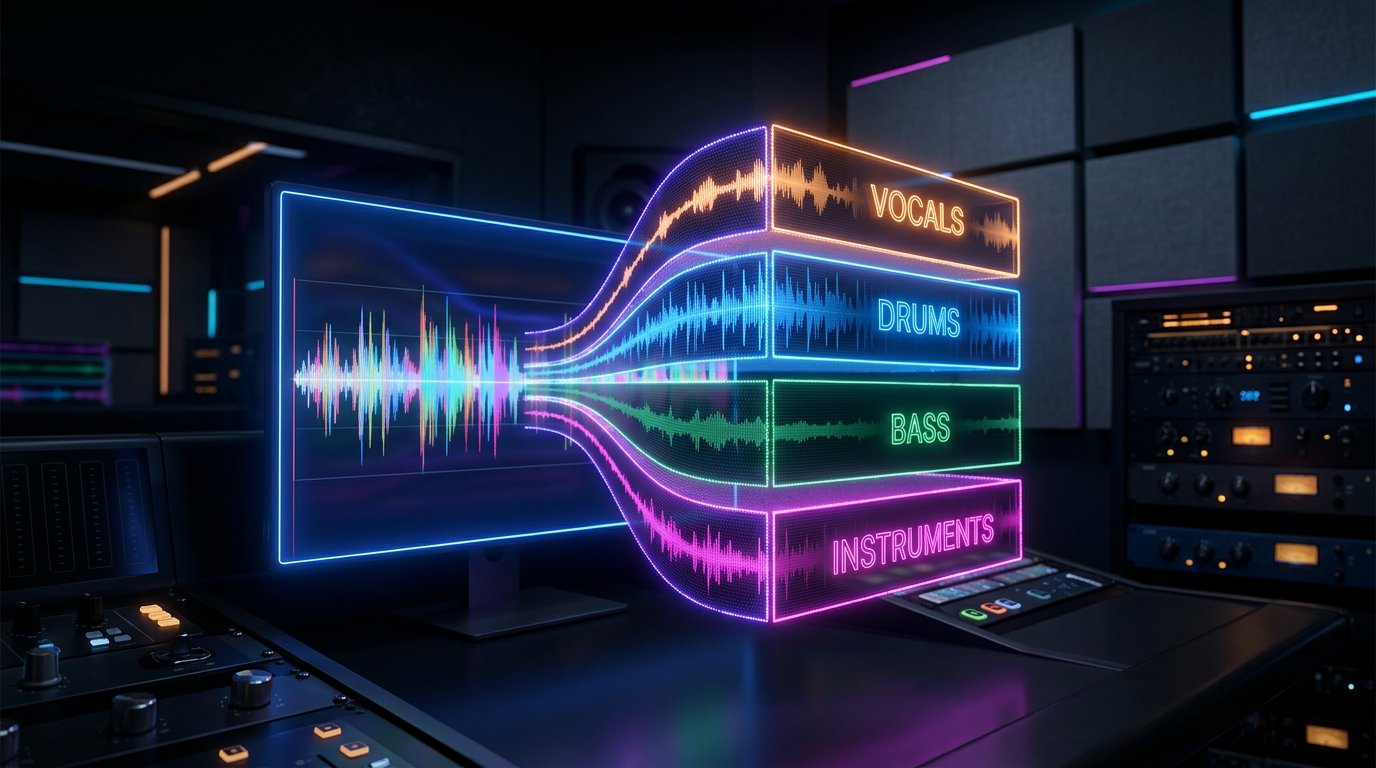
For creators who need to isolate vocal elements from existing recordings, the Stem Splitter uses AI to separate any audio file into individual stems, perfect for remixing, sampling, and studying professional vocal recordings.
Conclusion
Recording professional vocals at home is an achievable goal for any dedicated musician. The equipment is affordable, the techniques are learnable, and the tools available in platforms like ShiMuv provide everything you need from recording through publishing.
Start with the fundamentals: a decent microphone, basic room treatment, and consistent recording technique. As your skills develop, refine your approach with better monitoring, more sophisticated processing, and deeper understanding of vocal acoustics.
The most important step is the first one. Set up your equipment, open the ShiMuv DAW, and press record. Every recording session builds experience that makes the next one better. Explore more production guides and tutorials on the ShiMuv Blog, and share your recordings on the Creator Feed to connect with other creators.
Frequently Asked Questions
Creators commonly ask these questions when getting started. Here are detailed answers based on real-world experience and industry best practices.
How long does it take to see results?
Results depend heavily on consistency and quality. Most creators begin seeing measurable progress within three to six months of regular content publication and active engagement with their audience. The key is sustained effort rather than expecting overnight success. Each piece of content you create builds on the last, creating a compounding effect over time.
What equipment do I need to start?
You can start with remarkably little. A computer with an internet connection gives you access to browser-based tools that handle everything from production to publishing. As you develop your skills and identify specific needs, you can add equipment strategically. The most important investment is your time and commitment to learning.
How do professionals approach this differently?
Professional creators distinguish themselves primarily through consistency and workflow efficiency. They have developed reliable processes for each stage of their creative work, which allows them to maintain quality while producing content at a sustainable pace. They also invest heavily in understanding their audience and crafting content specifically for the people they want to reach.
What mistakes should beginners avoid?
The most common mistake is trying to do everything at once. Focus on one skill or tool at a time and develop competence before expanding your toolkit. Another frequent error is comparing your early work to the polished output of experienced creators. Everyone starts as a beginner, and every expert was once where you are now.
How can AI tools accelerate my progress?
AI tools are most effective when used to eliminate tedious tasks and provide a starting point for creative work. Use them to generate ideas when inspiration runs low, handle technical tasks that would otherwise consume creative energy, and provide feedback on your work. The goal is augmenting your creativity, not replacing it.
Create What You Just Learned About
Everything in this article connects to real tools inside ShiMuv — a complete music creation platform where you record, produce, generate with AI, create videos, and publish from one browser tab.
Start Creating
- [Open the DAW](/song/new) — Record, edit, mix, and master in a professional browser-based studio
- [AI Studio](/ai-studio) — Generate instrumentals, vocals, images, and video from text prompts
- [Lipsync Creator](/lipsync) — Turn any portrait into a singing avatar synced to your audio
- [Edit Hub Video Editor](/edit-hub) — Build music videos with multi-track timeline, captions, and effects
- [AI Stem Splitter](/tools/stem-splitter) — Split any song into vocals, drums, bass, and instruments
- [Voice Lab](/voice-lab) — Clone your voice, create choirs, generate speech and singing
- [Cover Song Creator](/upload-cover) — Record vocals over instrumentals and publish covers
- [Creator Monetization](/monetize) — Sell beats and samples, earn 85% of every sale
- [ShiMuv Radio](/radio) — Published songs enter genre stations automatically
- [Creator Community](/cc) — Share music, follow creators, build your audience
Free Tools
Try these tools right now — no account required:
Stem Splitter · Chord Generator · Melody Generator · BPM Tapper · Key & BPM Finder · Song Idea Generator · Song Structure · Vocal Range Tester · Streaming Calculator · All Tools
Tutorials
Go deeper with step-by-step guides: