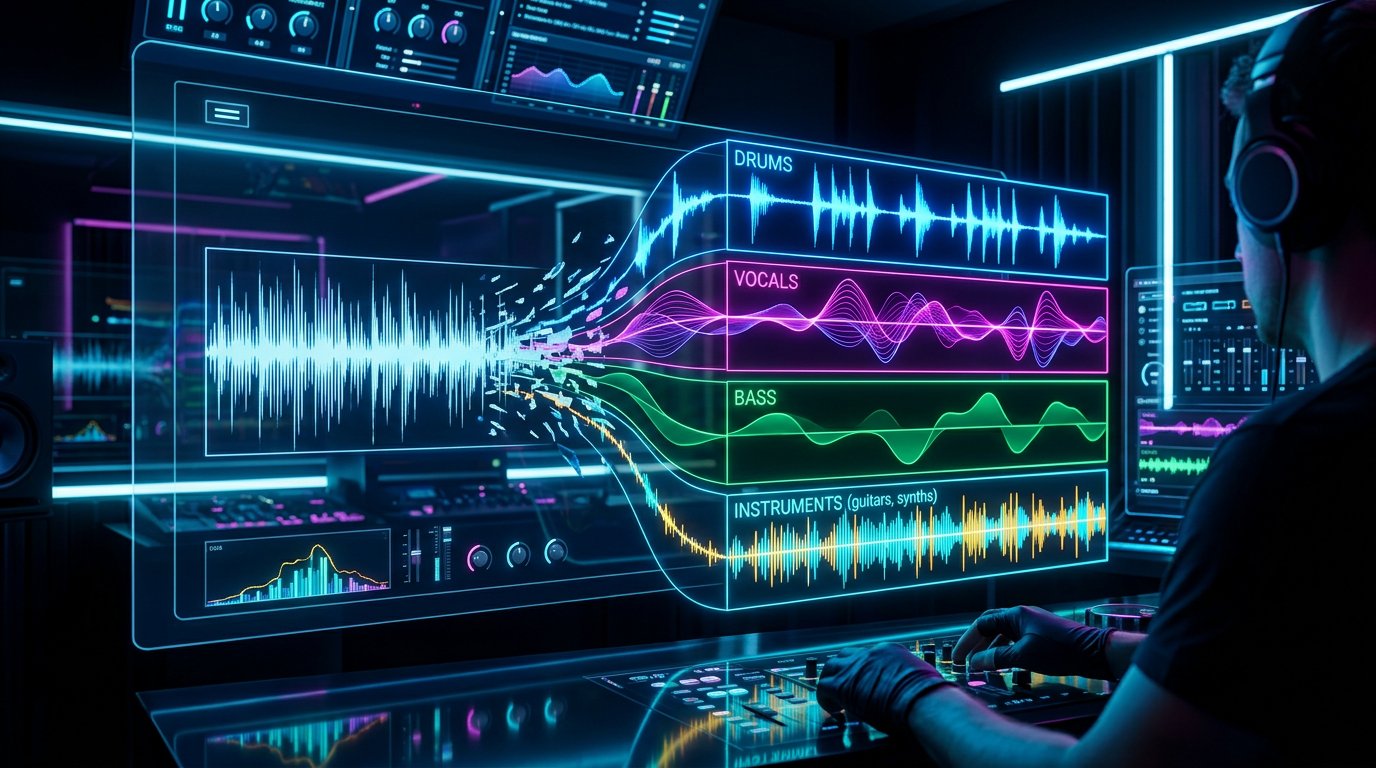
The way music is produced has fundamentally shifted. Where desktop DAWs once required powerful computers and expensive licenses, browser-based digital audio workstations now offer professional-grade production capabilities that run entirely in your web browser. For independent musicians, producers, and creators, this means you can make music from any device, anywhere in the world, without installing a single application.
Browser-based DAWs have evolved far beyond simple beat makers and loop tools. The best platforms in 2026 offer multi-track recording, professional mixing consoles, virtual instruments, effects processing, AI-powered tools, and direct publishing capabilities. Some rival the feature sets of established desktop DAWs that have been in development for decades.
This guide examines the current landscape of online DAWs, compares their features and capabilities, and helps you choose the right platform for your specific needs and workflow.
Why Browser-Based DAWs Are Taking Over
The shift toward browser-based music production is driven by several converging trends that benefit creators at every level.
Zero Installation Required
Desktop DAWs require downloading large installers, managing plugin directories, handling license activations, and ensuring system compatibility. Browser-based DAWs eliminate all of this. You open a URL and start making music. Updates happen automatically. There is nothing to install, configure, or maintain.
This frictionless access is particularly valuable for creators who work across multiple devices or locations. A producer can start a session on their laptop at home, continue on a tablet during their commute, and make final adjustments on a friend's computer. The project lives in the cloud, accessible from anywhere.
Lower Hardware Requirements
Professional desktop DAWs often require substantial processing power, dedicated graphics capabilities, and large amounts of RAM. Browser-based DAWs offload much of the heavy computation to cloud servers, meaning they can run smoothly on devices that would struggle with traditional production software.
This democratization of access is significant. A student with a budget laptop can access the same production tools as a professional with a high-end workstation. The playing field has never been more level.
Collaborative Potential
Browser-based platforms are inherently networked, which makes real-time collaboration natural rather than an afterthought. Multiple producers can work on the same session simultaneously, hearing each other's contributions in real time. This capability has transformed remote collaboration from a compromise into a genuine creative advantage.
Continuous Innovation
Because browser-based DAWs update server-side, users always have access to the latest features without manual updates. New tools, instruments, and capabilities can be rolled out instantly to every user. This rapid iteration cycle means browser DAWs are evolving faster than their desktop counterparts.
What to Look for in an Online DAW
Not all browser-based DAWs are created equal. When evaluating platforms, consider these key criteria that determine whether a DAW will serve your needs effectively.
Audio Quality
Professional audio requires high-quality processing with minimal latency. Look for platforms that support high sample rates, offer low-latency monitoring for recording, and use professional-grade audio engines. The Web Audio API has matured significantly, and the best browser DAWs now deliver audio quality that is indistinguishable from desktop applications.
Recording Capabilities
If you plan to record vocals or live instruments, ensure the platform supports real-time audio input with acceptable latency. Browser-based recording has improved dramatically thanks to advances in the Web Audio API and browser audio handling. The best platforms offer direct monitoring, multiple input channels, and take management.
Mixing and Effects
A professional mix requires EQ, compression, reverb, delay, and various other processing tools. Evaluate the quality and variety of built-in effects. Some platforms offer stock effects that rival commercial plugins, while others provide basic processing that may not meet professional standards.
Virtual Instruments
Built-in synthesizers, samplers, and drum machines expand your creative palette without requiring external plugins. The best browser DAWs include high-quality virtual instruments that cover a wide range of genres and styles.
Export and Publishing
The final output matters. Look for platforms that support high-quality export in standard formats like WAV and MP3. Bonus features include direct publishing to streaming platforms, social media integration, and sharing capabilities.
AI Integration
The most forward-thinking browser DAWs now incorporate AI tools for composition assistance, mixing suggestions, mastering, and even creative ideation. These features can dramatically accelerate your workflow and help you achieve professional results more consistently.
Top Browser-Based DAWs in 2026
Here is a comprehensive look at the leading browser-based DAWs available today, with an honest assessment of each platform's strengths and limitations.
ShiMuv DAW
The ShiMuv DAW is a comprehensive browser-based production environment designed specifically for independent music creators. It combines professional recording and mixing capabilities with AI-powered tools and direct integration with ShiMuv's broader creative platform.
The DAW features multi-track recording with low-latency monitoring, a professional mixing console with per-track effects, spatial audio capabilities, automation curves, and a built-in plugin system. The AI analysis feature provides real-time feedback on mix balance and suggests improvements.
What sets ShiMuv apart is the integrated ecosystem. Tracks produced in the DAW can be immediately used in the Lipsync Creator for music video production, published to the Creator Feed for community feedback, or enhanced with AI-generated content from Shi-Studio and the AI Studio.
The collaboration system supports inviting other creators to your session, making remote production seamless. Sessions are automatically saved to the cloud via Supabase, so your work is never lost. The Stem Splitter integration allows you to import stems from existing tracks directly into your project.
Soundtrap
Soundtrap, owned by Spotify, offers a solid browser-based production experience with a focus on collaboration. The platform includes a decent selection of virtual instruments and loops, real-time multi-user editing, and direct integration with Spotify for distribution.
The interface is clean and approachable, making it suitable for beginners. However, more advanced producers may find the mixing capabilities and effects quality limiting compared to professional desktop DAWs. The loop library is extensive but can lead to productions that sound generic if relied upon too heavily.
BandLab
BandLab provides a free browser-based DAW with social networking features. The platform includes recording, MIDI editing, a sample library, and basic effects processing. The social component allows creators to share work and collaborate within the platform.
The free tier is generous, making it an excellent entry point for beginners. The audio quality and mixing capabilities are adequate for demos and casual production but may fall short for professional releases that need to compete with commercially produced music.
Amped Studio
Amped Studio focuses on beat making and electronic music production. The platform includes pattern-based sequencing, a variety of synthesizers and drum machines, and sampling capabilities. The interface draws inspiration from hardware groove boxes and is intuitive for producers working in electronic genres.
The platform excels at loop-based production and beat making but is less suited for recording-heavy workflows or genres that require extensive audio editing and comping.
AudioTool
AudioTool takes a unique approach with a virtual rack-based interface that simulates physical hardware. Synthesizers, drum machines, and effects are represented as virtual modules that you can connect and configure. This approach is visually engaging and educational for understanding signal flow.
The sound quality is good, particularly for electronic music production. The modular approach encourages experimentation and sound design. However, the interface can be overwhelming for beginners and the recording capabilities are limited compared to other platforms.
Choosing the Right DAW for Your Workflow
The best DAW is the one that matches your specific workflow and creative goals. Here are recommendations based on common use cases.
For Singer-Songwriters
If your primary workflow involves recording vocals and acoustic instruments, prioritize recording quality and simplicity. The ShiMuv DAW offers clean recording with built-in effects and the added benefit of creating music videos with your finished tracks using the Lipsync Creator.
For Beat Makers and Producers
Electronic music producers should prioritize virtual instruments, pattern sequencing, and sound design capabilities. Look for platforms with extensive synth engines and sample manipulation tools. The loop synthesis and MIDI capabilities in modern browser DAWs handle most electronic production workflows effectively.
For Collaborative Projects
If you frequently work with other musicians remotely, collaboration features should be your top priority. Real-time multi-user editing, session sharing, and communication tools make the difference between a smooth collaborative experience and a frustrating one.
For Content Creators
Musicians who produce content for social media need a DAW that integrates with their visual content workflow. The ability to move from finished audio to music video production without leaving the platform saves enormous amounts of time and maintains creative momentum.
Recording Tips for Browser DAWs
Recording in a browser requires some specific considerations that differ from desktop DAW recording.
Latency Management
Browser audio latency has improved dramatically but remains slightly higher than native desktop applications in most cases. For recording, use direct monitoring through your audio interface rather than relying on software monitoring through the browser. This ensures you hear yourself without delay while the browser records the incoming audio.
Buffer Settings
Most browser DAWs allow you to adjust the audio buffer size. Smaller buffers reduce latency but increase CPU load and the risk of audio glitches. Larger buffers are more stable but add latency. For recording, find the smallest buffer size that runs without crackling or dropouts on your system.
Browser Optimization
Close unnecessary tabs and applications while recording. Browsers share system resources, and background processes can cause audio dropouts. Using a dedicated browser window for your DAW session ensures maximum available resources for audio processing.
File Management
Browser DAWs typically store projects in the cloud, but recorded audio files can be large. Ensure you have a stable internet connection for uploading recorded takes. Consider recording in shorter segments to reduce the impact of any connection interruptions.
Mixing in the Browser
The mixing capabilities of browser DAWs have reached a level where professional-quality mixes are entirely achievable. Here are strategies for getting the best results.
Gain Staging
Start every mix with proper gain staging. Set each track's level so the mixer has plenty of headroom. This is especially important in browser DAWs where the audio engine may handle internal processing differently than desktop applications.
Subgroup Processing
Group related tracks together for efficient processing. Drums, vocals, and instruments each benefit from bus processing that glues the elements together. Most modern browser DAWs support routing and bus channels for this purpose.
Reference Mixing
Import a reference track into your session and compare your mix against it regularly. This is the single most effective technique for achieving professional-sounding results, regardless of which DAW you are using.
Export at Maximum Quality
When you are satisfied with your mix, export at the highest quality settings available. WAV files at 44.1kHz or 48kHz with 24-bit depth are standard for professional output. You can always convert to compressed formats later, but you cannot recover quality lost during initial export.
The Future of Browser-Based Production
Browser DAW technology continues to advance rapidly. Several developments are poised to further close the gap with desktop applications.
WebAssembly is enabling near-native performance for audio processing in the browser. This technology allows complex DSP algorithms to run at speeds approaching compiled desktop code, which means browser DAWs will increasingly match the processing power available in traditional applications.
AI integration is accelerating across all browser DAW platforms. Expect to see more sophisticated composition assistance, intelligent mixing tools, AI-powered mastering, and creative suggestion systems that understand context and style.
The Web Audio API specification continues to evolve, with new features planned for multi-channel audio, improved latency handling, and better device management. These improvements will further improve the recording and monitoring capabilities of browser-based platforms.
Cloud computing advances mean that heavy processing tasks like AI analysis, stem separation, and mastering can be offloaded to powerful server infrastructure, making these capabilities available on even low-powered devices.
Getting Started
The best way to evaluate any DAW is to use it. Open the ShiMuv DAW and start a new session. Record a vocal take, add some effects, experiment with the virtual instruments, and produce a short musical idea. The hands-on experience will tell you more about whether a platform fits your workflow than any review or comparison chart.
While you are exploring, check out the other creative tools in the ShiMuv platform. The Stem Splitter can isolate elements from reference tracks for study or remixing. The Melody Generator can spark ideas when you hit a creative block. The Song Idea Generator provides fresh creative starting points.
Once you have a finished track, take it further. Create a music video with the Lipsync Creator, edit it in the Edit Hub, and share it on the Creator Feed. The integration between production and promotion is what makes a complete creative platform so much more powerful than a standalone DAW.
For more production guides, mixing tutorials, and creator resources, explore the ShiMuv Blog. New articles are published regularly covering every aspect of modern music creation.
Frequently Asked Questions
Creators commonly ask these questions when getting started. Here are detailed answers based on real-world experience and industry best practices.
How long does it take to see results?
Results depend heavily on consistency and quality. Most creators begin seeing measurable progress within three to six months of regular content publication and active engagement with their audience. The key is sustained effort rather than expecting overnight success. Each piece of content you create builds on the last, creating a compounding effect over time.
What equipment do I need to start?
You can start with remarkably little. A computer with an internet connection gives you access to browser-based tools that handle everything from production to publishing. As you develop your skills and identify specific needs, you can add equipment strategically. The most important investment is your time and commitment to learning.
How do professionals approach this differently?
Professional creators distinguish themselves primarily through consistency and workflow efficiency. They have developed reliable processes for each stage of their creative work, which allows them to maintain quality while producing content at a sustainable pace. They also invest heavily in understanding their audience and crafting content specifically for the people they want to reach.
What mistakes should beginners avoid?
The most common mistake is trying to do everything at once. Focus on one skill or tool at a time and develop competence before expanding your toolkit. Another frequent error is comparing your early work to the polished output of experienced creators. Everyone starts as a beginner, and every expert was once where you are now.
How can AI tools accelerate my progress?
AI tools are most effective when used to eliminate tedious tasks and provide a starting point for creative work. Use them to generate ideas when inspiration runs low, handle technical tasks that would otherwise consume creative energy, and provide feedback on your work. The goal is augmenting your creativity, not replacing it.
Frequently Asked Questions About Browser DAWs
Can browser DAWs produce professional-quality audio?
Yes. The Web Audio API and modern browser engines support high-fidelity audio processing at professional sample rates and bit depths. The output quality from a browser DAW is technically identical to what a desktop DAW produces, since both ultimately process and export digital audio using the same mathematical operations. The difference between a professional and amateur result comes from the skill of the producer, not the platform they use.
Do I need a fast internet connection?
A stable internet connection is important for saving projects, loading cloud-based samples, and using AI-powered features that process audio server-side. However, once a session is loaded, most audio processing happens locally in your browser. Recording and playback do not require continuous internet connectivity on most platforms, though auto-save features will pause without a connection.
Can I use my existing audio interface?
Modern browsers support standard USB and Thunderbolt audio interfaces through the Web Audio API. Most interfaces work without additional drivers on macOS, and many work on Windows and Linux as well. The ShiMuv DAW is designed to work with any audio interface your browser can recognize, providing low-latency recording with professional-grade converters.
Create What You Just Learned About
Everything in this article connects to real tools inside ShiMuv — a complete music creation platform where you record, produce, generate with AI, create videos, and publish from one browser tab.
Start Creating
- [Open the DAW](/song/new) — Record, edit, mix, and master in a professional browser-based studio
- [AI Studio](/ai-studio) — Generate instrumentals, vocals, images, and video from text prompts
- [Lipsync Creator](/lipsync) — Turn any portrait into a singing avatar synced to your audio
- [Edit Hub Video Editor](/edit-hub) — Build music videos with multi-track timeline, captions, and effects
- [AI Stem Splitter](/tools/stem-splitter) — Split any song into vocals, drums, bass, and instruments
- [Voice Lab](/voice-lab) — Clone your voice, create choirs, generate speech and singing
- [Cover Song Creator](/upload-cover) — Record vocals over instrumentals and publish covers
- [Creator Monetization](/monetize) — Sell beats and samples, earn 85% of every sale
- [ShiMuv Radio](/radio) — Published songs enter genre stations automatically
- [Creator Community](/cc) — Share music, follow creators, build your audience
Free Tools
Try these tools right now — no account required:
Stem Splitter · Chord Generator · Melody Generator · BPM Tapper · Key & BPM Finder · Song Idea Generator · Song Structure · Vocal Range Tester · Streaming Calculator · All Tools
Tutorials
Go deeper with step-by-step guides: