Music & Song Generator — Build the Song You Hear in Your Head
Start with lyrics, a story, a mood, a genre, or even one sentence. You choose the creative direction; ShiMuv helps turn those decisions into a complete song and keeps the result connected to what you may want to make next.
Your lyrics, taste, references, edits, and final approval remain central. AI can help with execution, options, and production speed; it is not the author of your intention.
How it works
Bring the part you already have. Build from there.
ShiMuv is designed for people who do not always begin in the same place. You may have complete lyrics, one chorus, a title, a voice memo, a genre in mind, or only the feeling the song should carry. The workflow helps turn that starting point into a clearer musical plan before production.
Write or paste your own lyrics, or begin with a song concept.
Choose genre, mood, instrumentation, vocal direction, and arrangement details.
Review what you are asking for before the song is created.
Listen to the result and decide what should change next.
Try this in Creation Companion
Turn one song idea into the beginning of a complete release package
Open Creation Companion and add the pieces you already have. ShiMuv can help create the song first, then keep the approved result connected to stems, visuals, video editing, promotional content, and other assets instead of treating the song as the end of the workflow.
Add what you already have
• Paste or attach your original lyrics, notes, poem, or song outline.
• Add a voice memo, demo, or authorized audio reference if the sound or performance matters.
• Add a cover image, logo, artist photo, mood board, or visual reference if you already have one.
I want to turn this song idea into a finished song and then use that approved song as the source for a complete creative package inside ShiMuv.

SOURCE MATERIAL
- Lyrics / writing: [paste or attach my lyrics]
- Demo / voice memo / authorized audio reference: [attach if available]
- Artist image / cover / logo / visual reference: [attach if available]
- Genre and mood: [describe]
- Audience or release context: [describe]
- What must not change: [exact lyric lines, message, vocal identity, brand elements, etc.]

SONG DIRECTION
1. Preserve my original meaning and keep my exact lyrics unless I explicitly approve a rewrite.
2. Help me define a coherent genre, mood, tempo feel, instrumentation, vocal direction, verse/chorus/bridge structure, and emotional build.
3. Make the arrangement support the words instead of overpowering them. Explain any important creative recommendation before changing my source material.
4. Before generation, summarize the planned song direction so I can approve or revise it.

AFTER THE SONG IS APPROVED
Do not treat the finished song as an isolated file. Help me continue the same project by recommending the most useful next assets:
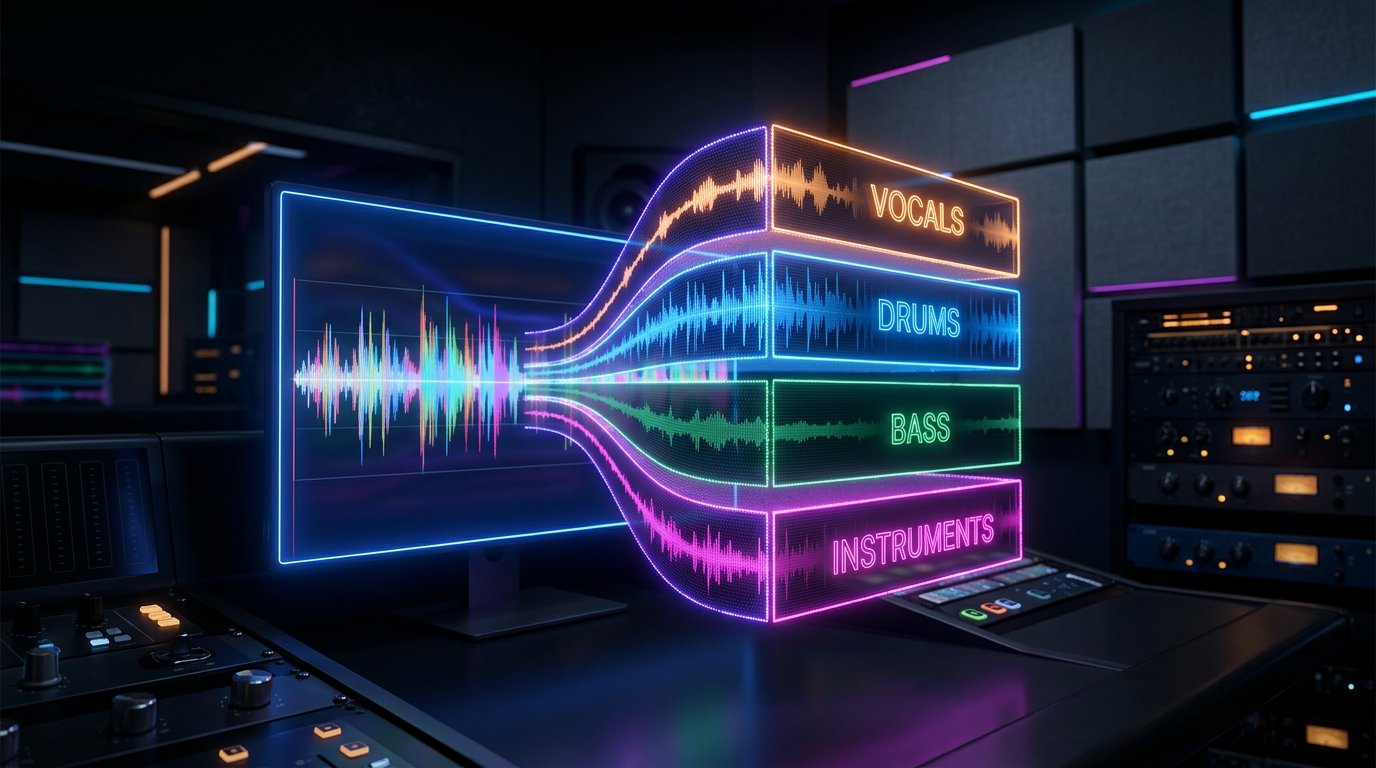
- separate stems when I need vocals, drums, bass, or instruments independently;
- create cover art or supporting visuals that match the approved song;
- plan a music video, performance video, lyric visual, teaser, or vertical social clip using the song as the source;
- prepare the approved audio and visuals for Edit Hub when I want captions, timing changes, transitions, alternate cuts, or a final marketing edit;
- suggest promotional assets such as a 9:16 teaser, square social post, release graphic, short caption, and call-to-action without changing the identity of the song.

Keep the approved song, artist identity, and source materials connected throughout the workflow. Before any paid generation or credit spend, show me exactly what will be created and ask me to confirm.
Paste this into Creation Companion, attach your source material, then review the plan before you generate or spend credits.
Genres are creative directions
Create country, rap, R&B, gospel, pop, rock, and more without losing your own point of view.
A genre label is only the beginning. A country song can be intimate or arena-sized. Rap can be reflective, melodic, aggressive, playful, or cinematic. Gospel and worship music can differ in tempo, instrumentation, choir use, lyrical approach, and performance style. ShiMuv lets you describe those choices instead of forcing every creator into the same template.
Country: acoustic storytelling, modern country-pop, southern rock influence, or stripped-down ballad direction.
Rap and hip-hop: beat energy, flow feel, vocal tone, subject, hook direction, and performance intensity.
R&B: vocal texture, groove, harmony, instrumentation, and emotional tone.
Gospel and worship: choir, contemporary worship, traditional influence, praise energy, or reflective arrangements.
Pop and rock: tempo, guitar or synth focus, chorus size, vocal character, and production scale.
Connected workflow
The song is not the end of the project.
Once the music exists, you can keep working. Separate stems for more control, refine audio, create artwork, build a music video, or save the project so the next creative step begins with context instead of starting over.
Separate vocals, drums, bass, and instruments when you need more control.
Move into editing and production instead of downloading and rebuilding elsewhere.
Use the finished song as the source for a music video or visual campaign.
Keep useful assets connected to your ShiMuv Library and future workflows.
More ways to ask
Start with normal language. Keep the creative decisions yours.
You do not need model names or technical prompt syntax. Describe the result you want, add the source material that matters, then review and shape the plan before you create.
Country storytelling
“Create a warm contemporary country song about rebuilding your life after starting over. Keep the verses conversational and make the chorus feel hopeful, not overly polished.”
You are defining the story, emotional direction, and performance feel before production begins.
Rap with a specific point of view
“Build a reflective rap song about choosing peace after years of proving yourself. I want a restrained beat, a memorable hook, and space for the words to lead.”
The musical assistance follows your direction rather than replacing the subject or meaning you chose.
Lyrics you already wrote
“Use these lyrics exactly as written. Create an R&B arrangement with a slow groove, warm keys, restrained drums, and a lead vocal that feels intimate rather than theatrical.”
When your words matter, say so. Your source material can remain the fixed center of the production.
One creation. Many useful assets.
Create it, refine it, market it, and keep building in one hub.
ShiMuv is designed so a finished song, image, video, story, or document can become the source for the next useful asset instead of forcing you to start over in another disconnected service.
Yes. You can begin with your own lyrics, then choose the musical direction, genre, mood, instrumentation, and vocal approach before continuing into ShiMuv's music creation workflow.
Can I make country, rap, R&B, gospel, pop, or rock songs?
ShiMuv supports many musical directions. Describe the genre, mood, tempo, instrumentation, vocal character, story, and arrangement you want instead of relying on a one-size-fits-all preset.
Does ShiMuv make the creative decisions for me?
No. ShiMuv is designed to assist with execution and options while the creator provides the idea, direction, references, edits, and final approval.
What can I do after I create a song?
A finished song can continue into stem separation, editing, artwork, a music video, publishing, or other ShiMuv workflows instead of ending as an isolated file.