ShiMuv AI — Create It Once. Keep Turning It Into What You Need Next.
ShiMuv is a creator-first production hub for turning ideas and source material into finished creations, then continuing those creations into edits, marketing content, reusable assets, publishing, and discovery. Bring the song, image, story, product, document, or idea; keep the useful context connected as the project grows.
The purpose of AI inside ShiMuv is not to remove the creator from the process. It is to reduce friction between intention and execution while keeping human judgment, rights, meaning, source material, and final approval visible.
One hub, not one output
Create the main thing, then turn it into the assets that help the idea travel.
A song may need stems, artwork, a music video, vertical teasers, captions, and a place to be heard. A product image may need a promo, an edited cut, a social post, and campaign visuals. A story may need a film, trailer, poster, and short clips. ShiMuv is designed around that continuation instead of stopping after the first generation.
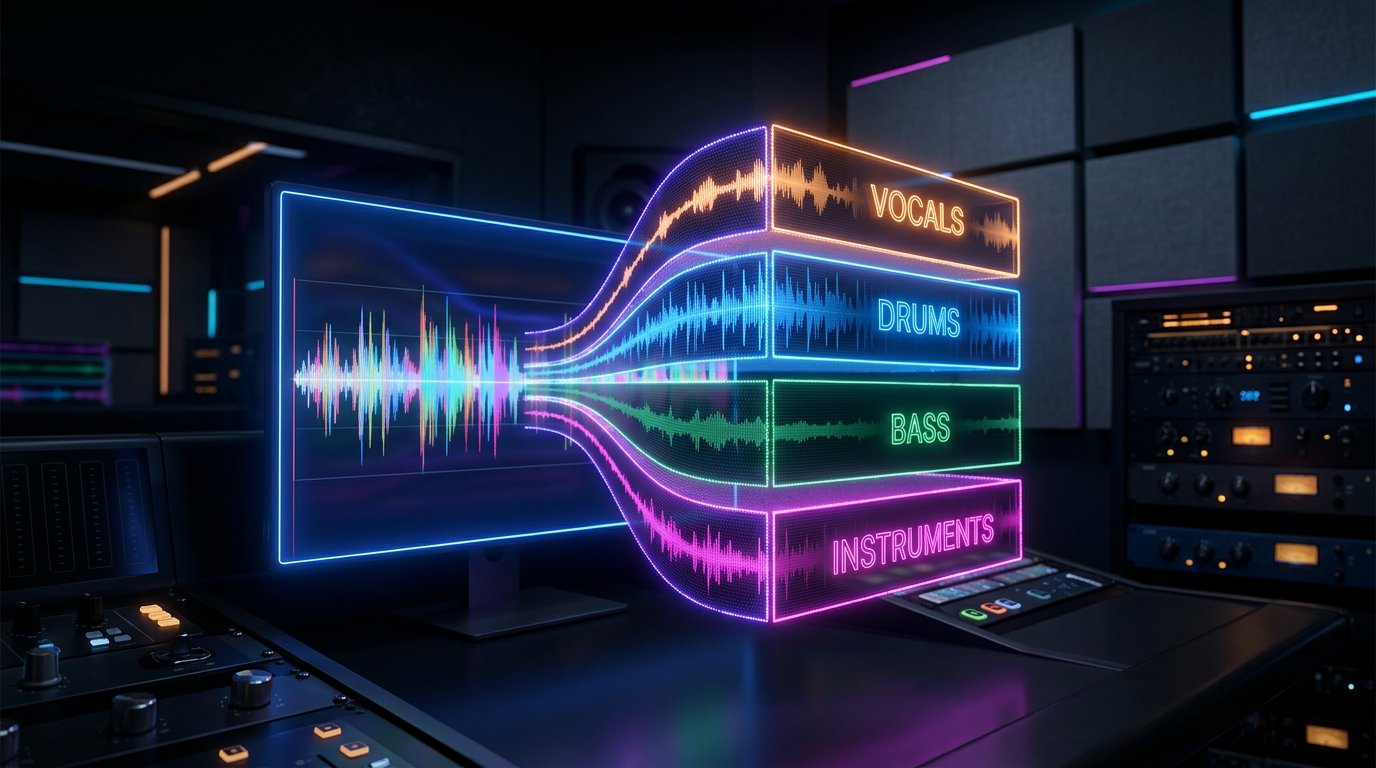
Songs can continue into stems, editing, cover art, music videos, promotional clips, and Radio discovery.
Images can become video references, product promos, social assets, document visuals, and future project material.
Stories can continue into characters, continuity, scenes, dialogue, films, trailers, posters, and episode assets.
Finished work can stay reusable in your ShiMuv Library instead of becoming a disposable download.
Try this in Creation Companion
Give ShiMuv one real project and ask it to build the complete path around it
Creation Companion is the easiest place to demonstrate the one-stop workflow. Add whatever you already have—a song, image, product photo, story, video, document, voice memo, logo, or reference—and describe both the main creation and what you ultimately need to do with it.
Add what you already have
• Attach the most important source file first: song/audio, image, video, story/document, product photo, or other creator-owned material.
• Add supporting references such as a logo, performer/character image, brand guide, lyrics, voice memo, location photo, or product packaging when they matter.
• Tell ShiMuv where the finished work needs to go next: social media, marketing, editing, Film Studio, stems, Radio, community publishing, or another asset workflow.
I want ShiMuv to treat this as one connected creative project, not a series of unrelated generations.

WHAT I AM ADDING
- Main source: [attach my song, image, video, story, document, product photo, or other source]
- Supporting references: [attach lyrics, logo, performer/character references, voice memo, brand assets, location references, etc.]
- My goal: [describe the finished creation I want]
- My audience: [describe]
- Where I plan to use it: [website, social, music release, ad, film, presentation, community, Radio, etc.]
- What must remain exact: [identity, lyrics, product label, logo, colors, story facts, layout, voice, source audio, etc.]

FIRST, UNDERSTAND THE PROJECT
1. Identify the main creative outcome I am requesting and which ShiMuv workflow is appropriate for it.
2. Treat my source material and locked constraints as authoritative. Do not silently replace or reinterpret the things I say must stay exact.
3. Ask only the missing questions that materially affect the result.
4. Show me the plan, expected deliverables, and any credit-bearing generation step before I confirm.

THEN, CREATE THE PRIMARY ASSET
Use the appropriate ShiMuv workflow to help me make the approved song, video, film, visual, document, or other master asset. Keep my project context attached to the result so I do not have to re-explain it in the next tool.

AFTER THE PRIMARY ASSET IS APPROVED
Act like a connected creative hub and recommend the useful next assets based on what I made:
- If it is music: offer stems, cover art, a music video or visualizer, vertical teasers, Edit Hub, upload/publishing, and Radio discovery where appropriate.
- If it is video: offer Edit Hub, captions, alternate aspect-ratio cuts, a teaser, thumbnail/poster, social copy, and a longer Film Studio workflow if the concept needs more story.
- If it is a film/story: offer Film Studio continuation, Edit Hub, a trailer, 9:16 teaser, poster/key art, synopsis, captions, and launch content.
- If it is a product or business asset: offer promo/video variations, edited social cuts, visual campaign assets, flyers/documents, and reusable brand-consistent content.
- If it is a document or presentation: offer supporting images/video, promotional clips, social graphics, and other media that reuse the approved message and branding.

For every derivative asset, reuse the approved source material and project context instead of starting over. Preserve identity, branding, story facts, lyrics, product details, and other locked constraints. Tell me what can be made next and let me choose the next step.

Do not spend credits or begin a paid generation until I have reviewed and confirmed the plan.
Paste this into Creation Companion, attach your source material, then review the plan before you generate or spend credits.
Human direction first
AI assists the work. The creator defines what matters.
The creator decides which parts are flexible and which are not. Lyrics may need to remain exact. A character's face may need to stay consistent. A product label may need to be preserved. A room layout may matter to the story. ShiMuv's job is to respect those constraints and help execute the project around them.
Use your own source material and authorized references as the foundation.
Describe the outcome in normal language instead of learning technical model names.
Review meaningful plans, quotes, and creative choices before committing to production.
Keep the ability to revise, redirect, or reject a result that does not match your intention.
Different creative work, connected context
Music, video, film, visuals, documents, marketing assets, and discovery should support one another.
ShiMuv includes specialized workflows because a song, film, product ad, resume, stem split, radio upload, and music video are not the same task. The ecosystem connects them where continuity is useful without pretending one generic generator can replace every creative process.
Music creation from lyrics, ideas, genres, moods, and creator direction.
Video creation from images, songs, products, and visual briefs.
Film planning and production with characters, dialogue, scenes, shots, and continuity.
Editing and derivative marketing assets that reuse approved source material.
Public tools, creator uploads, Radio, and community surfaces that help finished work move beyond generation.
Creation Companion
Start with the outcome you want, not the tool name you think you need.
A creator should be able to say, 'turn these lyrics into a soulful song and then help me promote it,' 'make this product photo into a polished vertical promo,' or 'turn this story into a film and trailer.' ShiMuv can use that intent to prepare the right workflow while keeping the important creative checkpoints understandable.
Describe your goal in plain language.
Bring source files and references when they matter.
Let ShiMuv help route the request to the appropriate specialist workflow.
Continue from the finished result into the next useful asset instead of restarting in another disconnected tool.
More ways to ask
Start with normal language. Keep the creative decisions yours.
You do not need model names or technical prompt syntax. Describe the result you want, add the source material that matters, then review and shape the plan before you create.
Music + launch assets
“I wrote these lyrics and want a warm contemporary country arrangement. Keep my words intact, create the full song, then help me plan the cover, teaser, video, and release assets from the approved version.”
The song becomes the source for a connected release workflow rather than the end of the task.
Image + promo
“Use this exact product photo to create a polished 9:16 promo, then prepare it for Edit Hub and recommend a thumbnail, short caption, and square social version without changing the label or product proportions.”
The approved source remains authoritative as the project expands into marketing assets.
Story + film launch
“Use my short story as the source of truth. Plan the cast, locations, dialogue, and scenes, create the film only after I approve the plan, then help me make a trailer, poster, and vertical teaser from the same project.”
ShiMuv assists across the production and launch workflow while the creator remains the writer and director.
One creation. Many useful assets.
Create it, refine it, market it, and keep building in one hub.
ShiMuv is designed so a finished song, image, video, story, or document can become the source for the next useful asset instead of forcing you to start over in another disconnected service.
ShiMuv AI is the assistance layer across ShiMuv's creator ecosystem. It helps creators plan, generate, organize, refine, and continue work across music, video, film, visuals, documents, and other workflows while the creator stays responsible for direction and approval.
Is ShiMuv just a collection of AI generators?
No. ShiMuv is designed as a connected creation ecosystem. The goal is for the result of one workflow to remain useful in the next, such as moving from lyrics to a song, from a song to stems and a music video, or from a story to characters, scenes, dialogue, and film production.
Does ShiMuv replace creators?
No. ShiMuv is built around creator agency. The creator supplies the intention, source material, references, taste, edits, rights, and final approval. AI helps with execution and repetitive production work.
Do I need to understand AI models to use ShiMuv?
No. ShiMuv is designed so creators can describe the outcome they want in normal language. The platform can help route that intent to the appropriate workflow without requiring creators to learn provider names or technical model terminology.
A real ShiMuv example
One useful idea can become the source for images, a finished video, and the marketing versions you need next.
This honey-garlic chicken example comes from the ShiMuv WordPress blog. The article begins with useful recipe content and creator-owned visual references, then demonstrates how the same material can become finished landscape and vertical video assets. That is the ecosystem idea in practice: create or bring something valuable first, then keep turning the approved work into useful content instead of starting over.
1. Start with the real source material2. Keep the important process moments3. Build the visual story4. Use the approved result as the anchor
Finished assets
The same creative source can be finished for more than one destination.
These are finished demonstration videos from the WordPress article. They are shown here as examples only; nothing is submitted to Creation Companion and no credits are spent by playing them.
Finished landscape food video
16:9 landscape — useful for websites, YouTube, presentations, and wider campaign placements.
Finished vertical food reel
9:16 vertical — useful for Reels, Shorts, TikTok, Stories, and other mobile-first placements.